
Subscriptions, organized
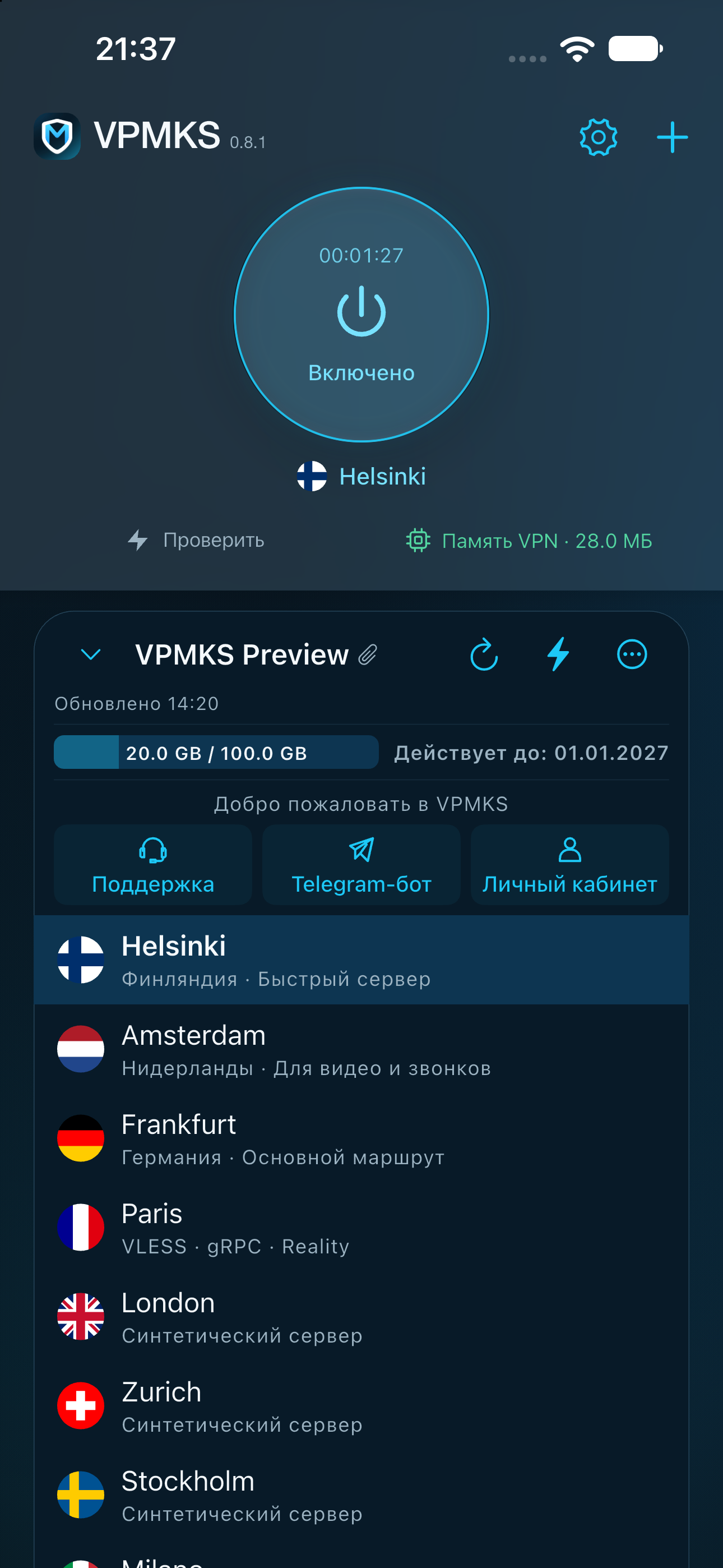
Servers, traffic allowance, expiry and provider updates, together. Add a link or scan a QR code.
YOUR SUBSCRIPTIONS. YOUR CONNECTION.
Your subscriptions, servers and VPN status, together in one thoughtful interface. VPMKS for iPhone, iPad and Android.
A VPN client for your own subscription. Server access is provided by the provider you choose.
ROOM FOR WHAT MATTERS
Comfortable every day. Flexible when you need more control.
Servers, traffic allowance, expiry and provider updates, together. Add a link or scan a QR code.
Light, dark and Midnight Cyan. System appearance, alternate icons and Liquid Glass on supported iOS versions.
Check connectivity, session time and tunnel memory. Diagnostics help you understand what happened when something goes wrong.
Paste a link from your provider or scan its QR code.
Read descriptions and check availability before connecting.
Allow the system VPN configuration and tap the power button.
YOUR PACE. YOUR STYLE.
Choose your appearance, server checks and core preferences. Full JSON configurations preserve provider routing within the capabilities of the client.
Explore the settingsGOOD TO KNOW
No. The app connects using your own subscription or configuration. Your provider determines pricing, locations, limits and expiry.
Beta builds are distributed through TestFlight and require an invitation. The beta page explains how to request access and share feedback.
Subscriptions, configurations and preferences are stored locally in secure storage. Your provider receives update requests and device information; see the privacy policy for details.
The app supports transferring a subscription to TV using a QR code on the same local network. The TV needs a compatible VPMKS version. See the guide for step-by-step instructions.
VPMKS BETA
Try the app and tell us what could work better.